AI AgentsFor the Jobsite
Talk to your P6 schedule in plain English. Automate the document control work that burns engineer-hours. Turn 20 years of project archives into a queryable AI. No generic chatbots — agents built on your data, your tools, your workflows.
What Sets Us Apart
Six Construction AI Agents We Build
Each agent is scoped, designed, and built specifically for your operation — using the right AI approach for the right construction workflow.
Primavera P6 Natural-Language Interface
Talk to your P6 schedule in plain English. Anyone — superintendents, owners, executives, project engineers — can ask the schedule questions without ever opening Primavera or knowing what a logic tie is. Our flagship demo.
Example use cases
Document Control Automation
The highest-volume manhour drain on every project. We automate RFI logging, submittal routing, transmittal generation, drawing-log maintenance, and distribution matrices — eliminating the repetitive paperwork that burns engineer- and admin-hours.
Example use cases
Project Knowledge AI (RAG)
Your senior PMs are retiring. Their lessons learned, standard details, spec interpretations, and "how we handled this last time" are in PDFs, emails, and project archives. We turn 20 years of project history into a queryable AI your new PMs can ask.
Example use cases
Field Operations AI
Automate the field-to-office paper trail. AI that ingests daily reports, photo logs, and inspection records — and turns them into structured data your PMs, schedulers, and superintendents can actually use.
Example use cases
Engineering & Drawing Review AI
AI that pre-reviews submittals, checks drawing markups against specs, and flags coordination conflicts before they reach the engineer. Cuts review cycle time by half and catches the issues that fall through the cracks.
Example use cases
Safety, Quality & QS Agents
Function-specific agents trained on your safety program, quality standards, and cost structure. Not generic chatbots — agents that know your project, your specs, and your contract.
Example use cases
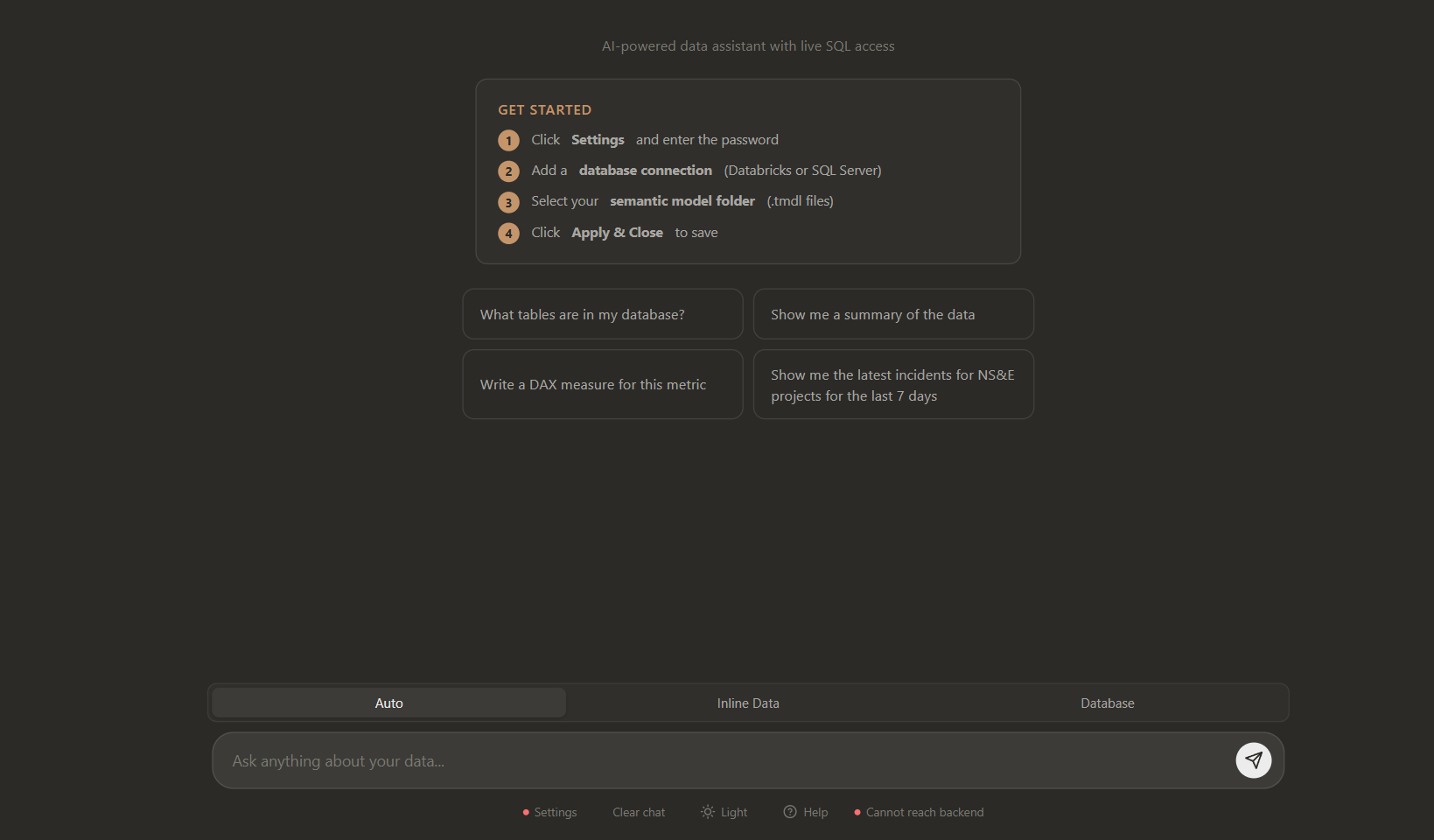
Talk to your Power BI reports
A custom app we built for Power BI that lets your team chat with their reports. Ask in plain English and get answers, summaries, and even DAX measures — grounded in your governed semantic model, with live access to Databricks and SQL Server.
Our AI Technology Stack
We select the right tool for the job — not the one we're most comfortable with.
From Idea to Production-Ready
Our structured delivery model gives you something working at every checkpoint — no black-box development cycles, no slideware milestones.
Discovery & Workflow Map
Prototype on Your Data
Production Build
Launch & Optimize
Our AI Development Principles
Your Project Data Stays Yours
We never use your project archives, schedules, or proprietary data to train models for anyone else. Client data isolation is non-negotiable.
Explainability First
AI decisions affecting your project schedule, costs, or safety need to be understandable. We build in logging, reasoning traces, and override mechanisms from the start.
Production-Ready Always
A demo that can't survive contact with a real project isn't a solution. Every build includes monitoring, error handling, and a roadmap for scale before we ship.
Which Workflow Would You Automate First?
Start with a free 30-minute discovery call. We'll identify 2–3 high-ROI AI opportunities specific to your projects — no commitment required.
Want the ready-to-go P6 and document apps? See Malya Foresight and Malya Docs.
Construction AI Agents — Frequently Asked Questions
The answers below are the same text Google sees in our FAQ schema.