Primavera P6 schedule analytics, without the analyst
Foresight connects to your Primavera P6 schedules and turns them into a living analytics layer — progress, schedule-health diagnostics, and update-over-update slippage. So you see what's drifting before it costs you, no scheduler required to read it.
Everything in your schedule, finally legible
The same checks a senior planner runs — automated, on every update, across the whole portfolio.
Portfolio overview
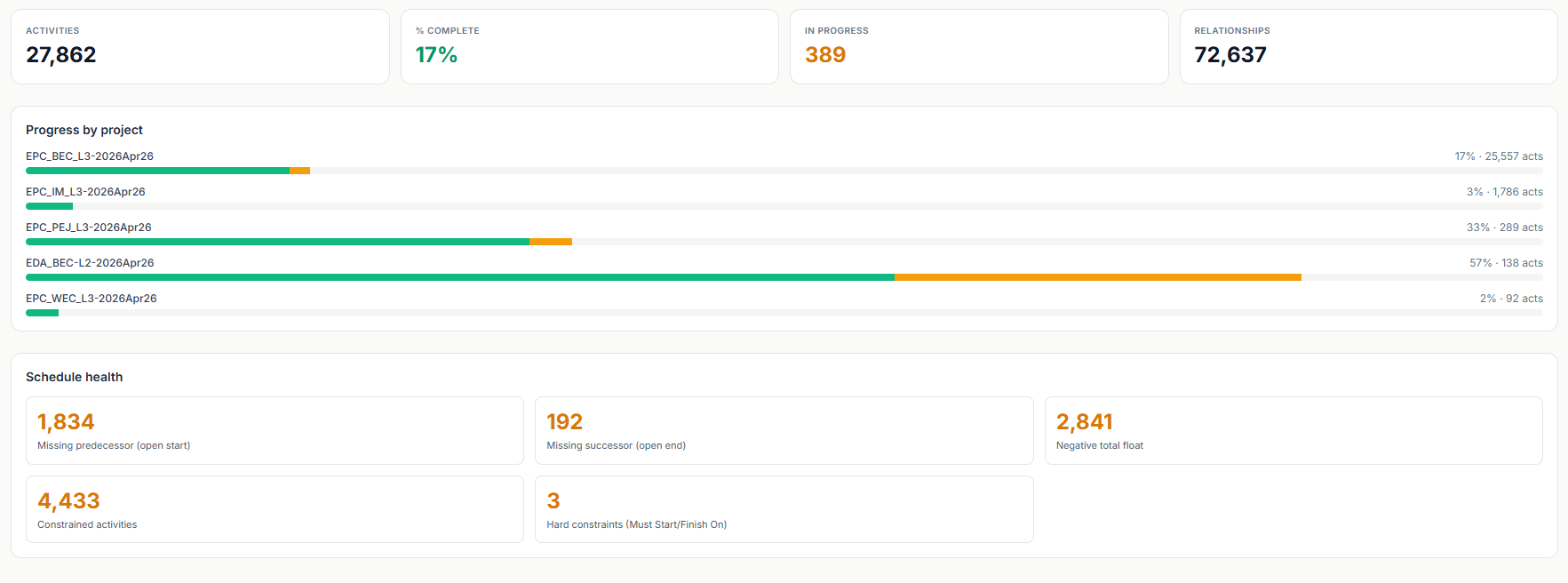
Activity counts, % complete, and progress by project and WBS — the whole portfolio in one glance, refreshed on every P6 update.
Schedule-health diagnostics
DCMA-style checks: missing predecessors (open starts), missing successors (open ends), negative total float, constrained activities, and hard constraints — each counted and drillable.
Update-over-update slippage
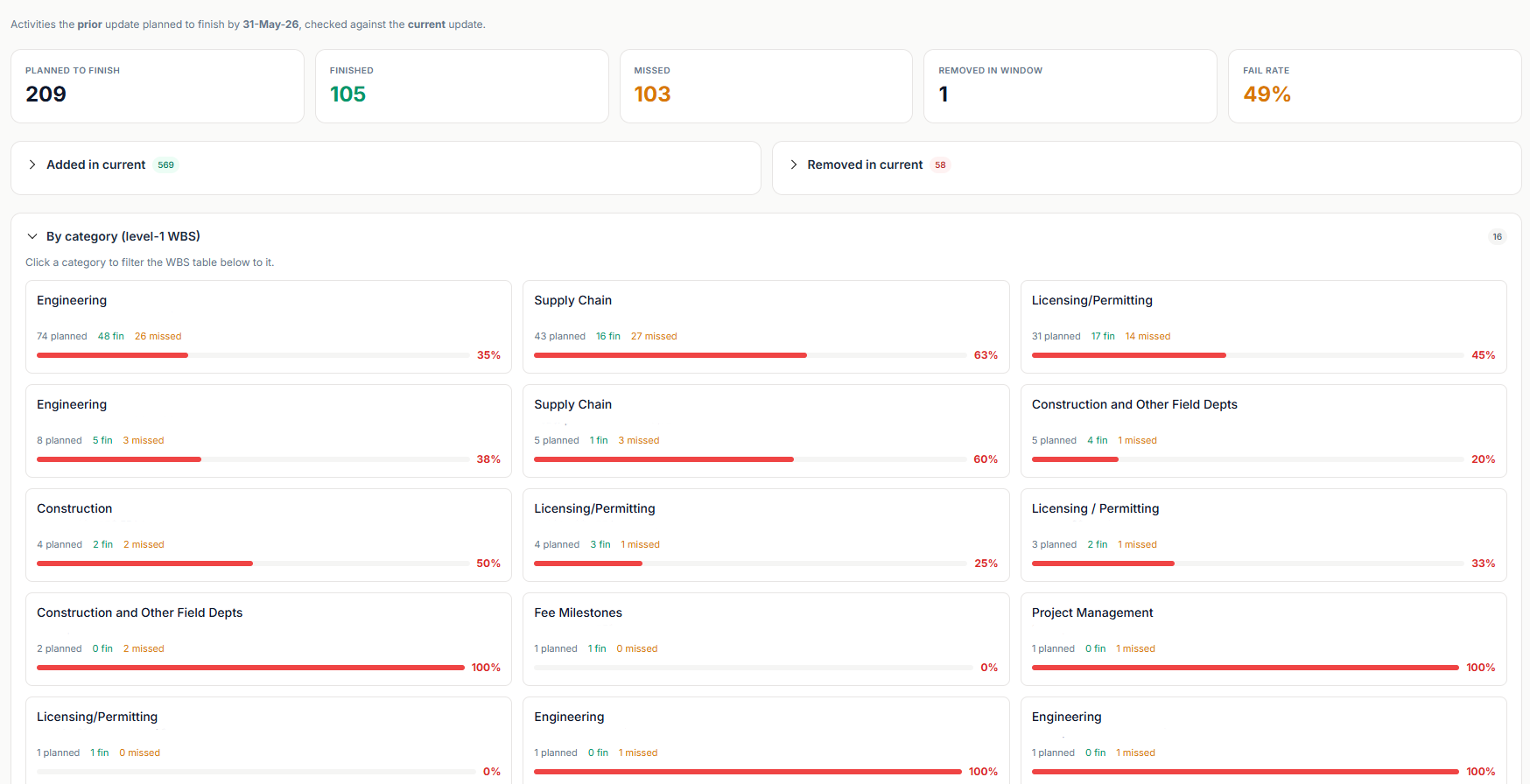
Compare the prior update to the current one: what was planned to finish, what actually finished, what was missed, the fail rate, and activities added or removed — broken down by WBS category.
XER upload or live connection
Upload a standard Primavera P6 XER export, or connect to your P6 EPPM / database so the analytics refresh automatically. Every activity, WBS, and logic tie is ingested.
See it on a real schedule
Who Foresight is for
Project controls & schedulers
Catch open ends, negative float, and constraint abuse before the client review does.
Project executives & owners
See update-over-update slippage and fail rate across the portfolio without opening Primavera.
Superintendents & PMs
A schedule you can actually read in minutes — progress by project, not a 28,000-line Gantt.
Simple subscription
One simple monthly plan. Everything included:
Primavera P6 Schedule Analysis — Frequently Asked Questions
The answers below are the same text Google sees in our FAQ schema.
See it on your schedule
Send us an XER and we'll show you the schedule-health report on your real project — before you commit.